Reminders & Maintenance
Setting up and managing service reminders
How do I set a reminder for maintenance?
- Go to your vehicle’s Events tab
- Tap Add or the + button
- Select the maintenance type (oil change, tire rotation, etc.)
- Set the reminder conditions:
- Time-based: Every X days/months/years
- Distance-based: Every X miles/km
- Save the record
The reminder will trigger on whichever condition is met first.
How do reminders work?
Reminders can trigger based on:
- Time interval: Every X days, months, or years
- Distance threshold: Every X miles or kilometers
Whichever comes first will trigger the reminder notification.
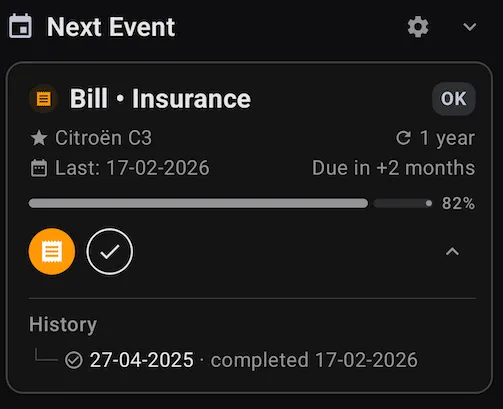 A reminder with its recurrence, progress bar and history
What do red values mean on the Events screen?
Red values indicate that the reminder deadline has passed without recording the corresponding service or bill. You should either:
- Record the completed service
- Update the reminder if you want to postpone it
How do I edit or delete a reminder?
- Go to your vehicle’s Events tab
- Tap on the reminder you want to modify
- Choose Edit or Delete
- Save your changes