Monthly Digest & Year in Review
Each month, see what your garage cost, what stood out and what is coming up, then look back on the whole year
The Monthly digest sums up each month: what your cars cost, what stood out and what is coming up. Year in review does the same for the whole year. Both are free for everyone, and both are worked out on your phone from your own records.
Opening the Digest
- Menu > Monthly digest, under Reports & Analysis
- In the first week of a month, a banner on the Dashboard, such as Your October digest. Tap Open digest, or Not now to hide it.
- At the start of each month, a notification Your October digest with the month’s headline. Tap it to open that digest.
The banner and the notification only come when you logged something that month.
In the first 7 days of a month, the digest opens on the month that just ended. Later in the month it shows the current month “so far”. In the first week of January, it opens on Year in review.
Use Month | Year at the top to switch views, and the arrows to go to earlier or later months and years.
The Month View
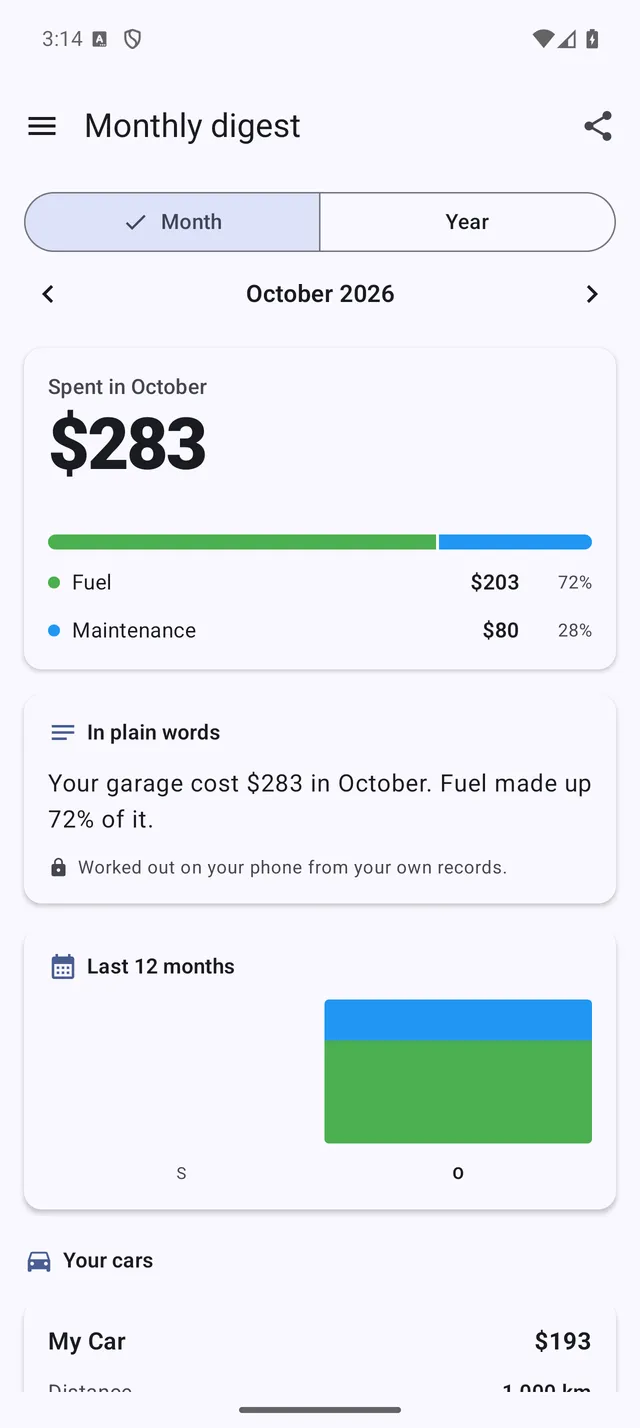 The Monthly digest for a closed month
- Spent in October: the total, compared with the month before and with the same month last year, and split into Fuel, Maintenance, Bills, Trips and Parts.
- In plain words: a short summary of the month. When your records support it, it adds highlights: the cheapest or most expensive month in a while, a car’s most efficient month, a car running better or worse than usual, your best fill-up price, and how many reminders are overdue or due soon. It ends with “Worked out on your phone from your own records.”
- Last 12 months: a bar chart of your costs by category, once you have at least 2 months of records.
- Your cars: one card per car with its cost, Distance, Efficiency (compared with usual), Cost per km (for cars that drove at least 100 km that month) and Best price, with the station and date.
- Coming up: reminders that are overdue or due in the next 30 days, with See all reminders. It shows for the current and the previous month.
A month with no records shows Nothing logged in … and an Add a refuel button.
Year in Review
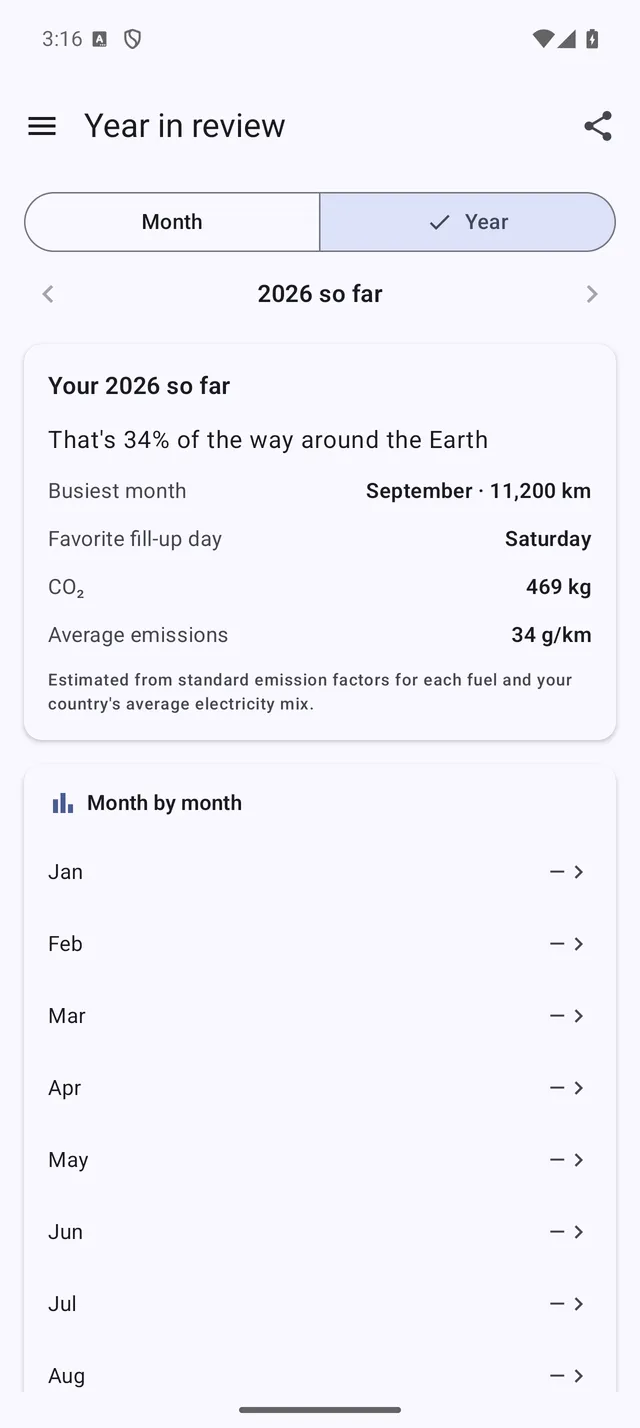 Year in review: facts about your year and costs month by month
- Spent in 2026: the year’s total, compared with the year before, with the same split by category.
- A title for your year, picked from how you drove and logged: Electric Pioneer, Road Warrior, Eco Improver, Bargain Hunter, Meticulous Logger, Weekend Cruiser or Steady Commuter.
- In plain words: the year in a few sentences, including the priciest and cheapest months, your fill-ups and distance, and cars that became more or less efficient.
- Your 2026: the facts that apply to your year: how far around the Earth you drove, Busiest month, Longest logged trip, Favorite fill-up day, Favorite station, Saved with discounts, Favorite garage, CO₂ and Average emissions. CO₂ is estimated from standard emission factors for each fuel and your country’s average electricity mix.
- Month by month: each month’s cost. Tap a month to open its digest.
- Your cars: each car’s year, with distance, fill-ups, efficiency and cost per km.
Sharing
Tap the share icon at the top to send an image card and a short text through Android’s share menu. A month’s share includes amounts, car names and, in the highlights, possibly a fuel station. When you share a year, Show costs on the card (off by default) decides whether any amounts are included.
Turning the Notification Off
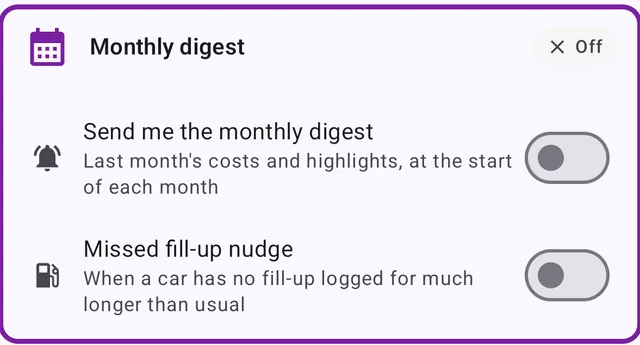 The Monthly digest card in Settings > Notifications
- At the end of every digest, the Send me the monthly digest switch turns the monthly notification and the Dashboard banner on or off. The digest itself stays in the menu.
- The same switch is in Menu > Settings > Notifications > Monthly digest.
- If Android blocks notifications from My Cars, the digest shows Get your digest every month with Turn on notifications.
The Missed fill-up nudge in the same settings card is a separate notification. It tells you when a car has had no fill-up logged for much longer than usual (“Forgot to log a fill-up?”). It has its own switch, and Don’t remind me on the notification turns it off.
Privacy
Your digest is worked out on your phone from your own records. It only leaves your phone when you share it.