Classic Dashboard (MyCars 2.0 layout)
Bring back the familiar table-based stats view from MyCars 2.0 with the Classic dashboard preset
What is the Classic dashboard?
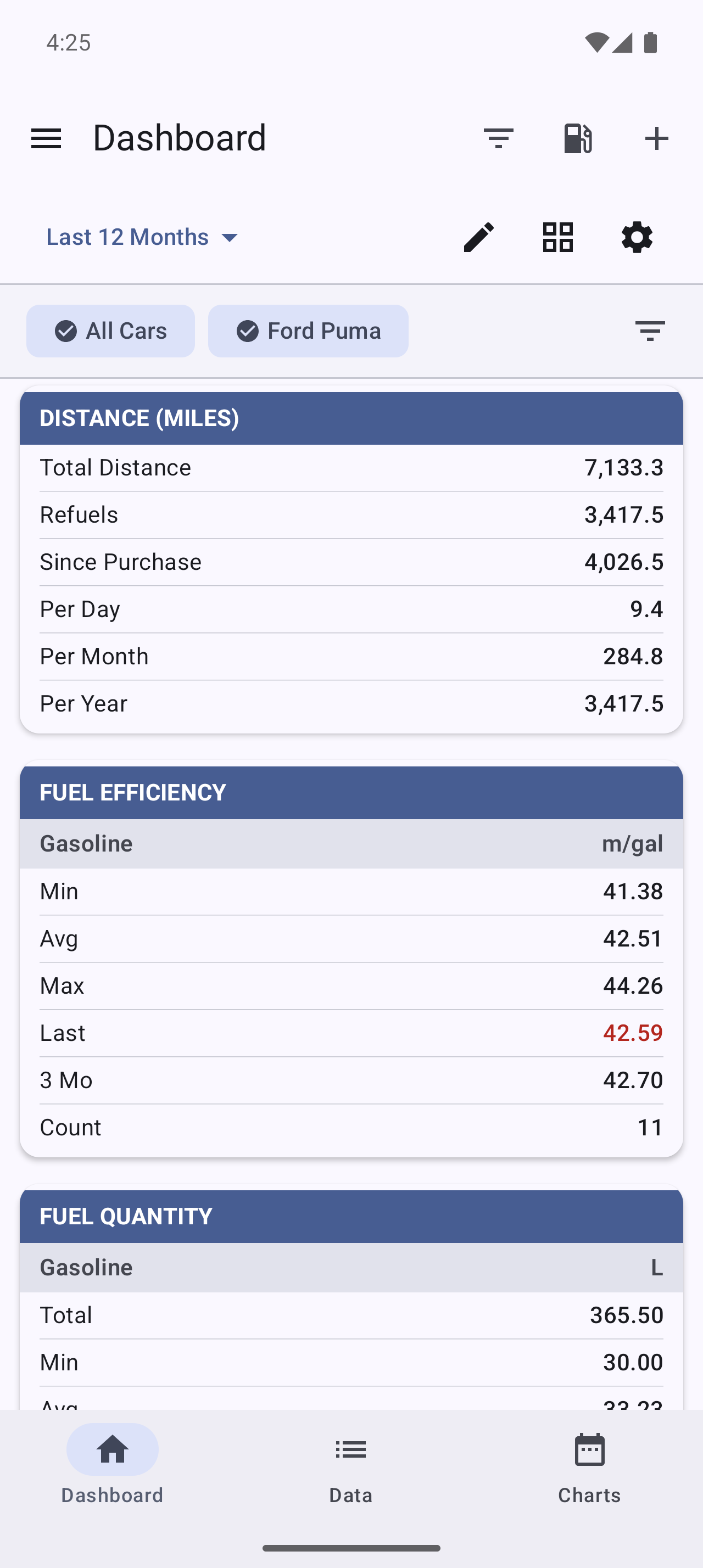
Classic is one of the Dashboard layout presets — the familiar table-based stats view from MyCars 2.0. If you’ve used My Cars for years and preferred the older look, Classic restores it: a compact set of stat tables instead of the newer cards.
The app describes it as “7 tables • Original layout” — a dense, numbers-first view that fits a lot of information on one screen.
Why use the Classic layout?
- Familiarity — it’s the layout long-time users grew up with in MyCars 2.0.
- Density — tables pack more figures into less space than cards.
- At-a-glance numbers — great if you prefer raw values over charts and gauges.
If you’d rather have a lighter or richer view instead, the other presets are Minimal (“essential info only — great for quick glances”), Standard (the balanced default), and Detailed (“all available details — for data enthusiasts”).
What’s in the Classic view?
Classic shows the original set of stat tables, such as distance, fuel efficiency, fuel quantity, fuel price, cost, trip distance, and record counters — the seven-table layout from MyCars 2.0.
How do I switch to the Classic layout?
From Settings
- Go to Menu > Settings > Display
- Tap Detail level
- Choose Classic (MyCars 2.0)
From the Dashboard
- Open the Dashboard and tap Customize Dashboard
- Open Presets
- Select Classic (MyCars 2.0)
Your choice applies immediately, and you can switch back to Standard (or any other preset) at any time.
Can I still customize Classic?
Yes. Classic is a starting point, not a lock-in. Once it’s applied you can still add, remove, and reorder tables in the Dashboard’s edit mode — the same way you customize any layout. As soon as you change it, the app marks your layout as Custom; pick a preset again any time to reset.
Looking for the full picture of presets, period selection, and multi-vehicle stats? See the main Dashboard article.